
B站同源助手 for YouTube™
Find matching Bilibili videos from YouTube™ and switch with one click
Free
Screenshots

Key Features
More About This Project
B站同源助手 for YouTube™
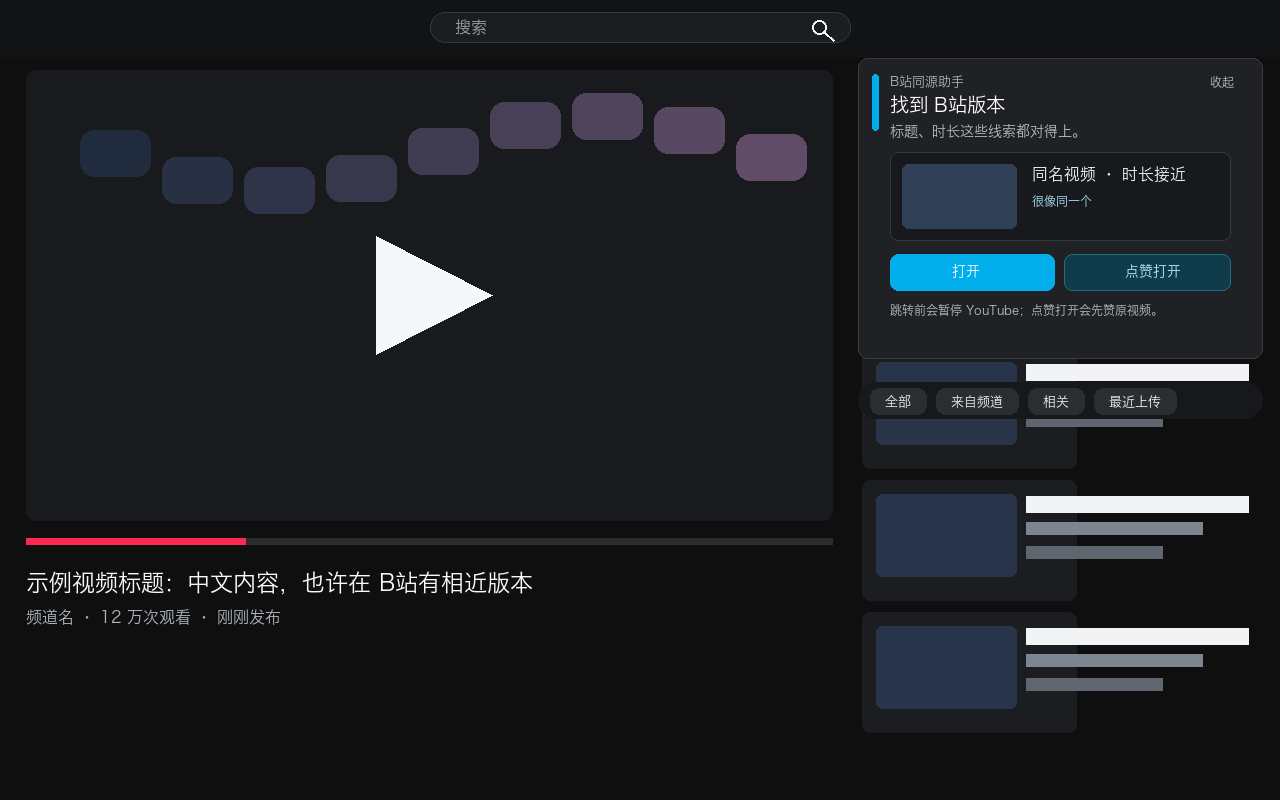
Keep using YouTube™ for discovery, then switch to Bilibili when a matching video is available. The extension automatically searches for matching or related Bilibili videos and places a compact helper at the top of the YouTube recommendations sidebar, saving repeated searches and potentially reducing cross-border video traffic.
Core Features
Automatic Identification and Search
When you open a YouTube video, the extension reads its title, channel name, and duration, then searches for Bilibili candidates. Results appear at the top of the recommendations sidebar without taking over the title, description, or comments.
Local Multi-Signal Matching
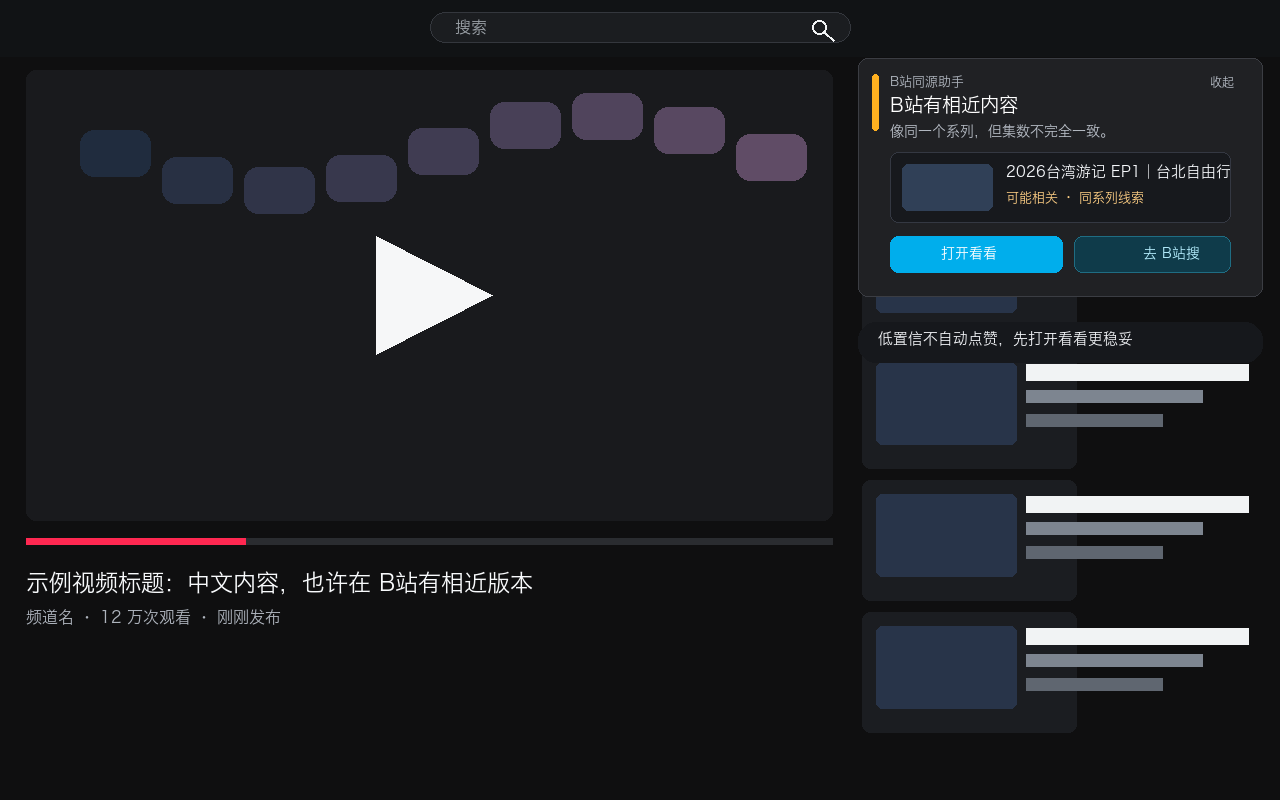
Candidates are ranked locally using title similarity, duration difference, uploader information, and view count. The UI distinguishes between a likely match and merely related content. Low-confidence results only offer “Open to review” and “Search Bilibili,” avoiding an accidental like.
One-Click Switching
-
Open / Open to review: pauses the current YouTube video and opens the Bilibili result in a new tab
-
Like and open: uses the existing YouTube like button, pauses playback, and then opens Bilibili
-
Search Bilibili: opens a relevant Bilibili search when no reliable match is available
Automatic Search Fallback
If the public Bilibili search API is restricted or returns no usable result, the extension tries the public Bilibili search page as a fallback. A manual search option remains available if no candidates can be retrieved.
Privacy First
The extension has no developer-operated backend and does not sell user data. Settings, search cache, and user-confirmed YouTube-to-Bilibili matches stay in local Chrome storage on the device.
How to Use
-
Install the extension from the Chrome Web Store
-
Open any public YouTube video page
-
Wait for the helper panel to appear above the recommendations sidebar
-
Choose “Open,” “Like and open,” “Open to review,” or “Search Bilibili” based on the match confidence
Technology and Open Source
-
Built for Chrome Manifest V3
-
Uses JavaScript and the Chrome Extension API
-
Candidate scoring runs locally
-
All extension logic is bundled with the published package; no remote code is downloaded or executed
-
Source code is available under the MIT License
Network Tip
If your browser uses a global proxy, Bilibili may still use that proxy. To reduce cross-border traffic, configure bilibili.com, hdslb.com, and bilivideo.com to use a direct or domestic route.
This extension is not affiliated with, sponsored by, or endorsed by YouTube, Google, Bilibili, or 哔哩哔哩.